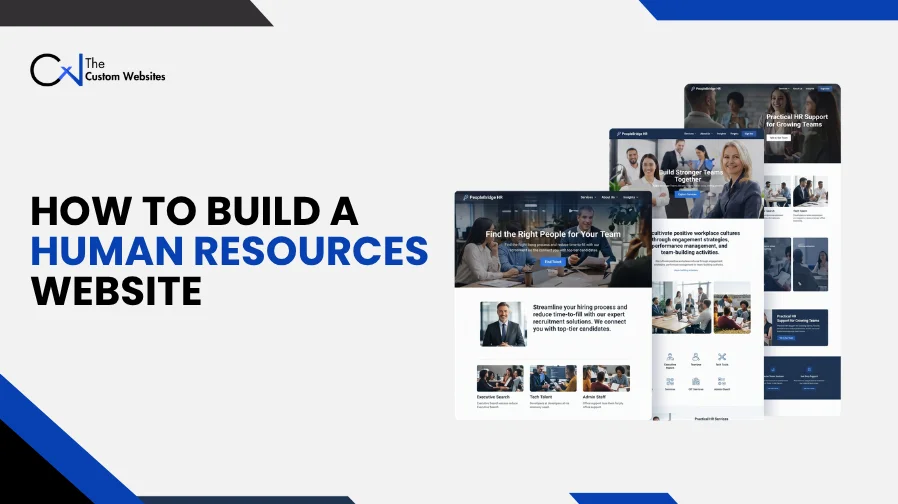
People come to a modern HR website to look through services, apply for jobs or get in touch with your team. Human Resources Website Design and Development brings those tasks together with clear content and useful features on a technical setup you can rely on. An HR consultancy and a recruitment agency may work differently. Your site should fit the way you work.
Design shows people where to go. Development makes sure they can do what they came for. When someone applies, the form has to save their submission correctly. Job searches need to bring back relevant openings. Inside an employee portal, only authorized users should see the information they’re allowed to access.
There’s some planning to do before you build. This guide starts with setting goals and takes you through managing the platform after launch.
What Is a Modern Human Resources Website?
A human resources website gives an HR business or department a way to reach the people it serves. That could mean employers and job seekers. Employees and business partners may use it too.
Some HR websites mainly explain services and bring in inquiries. Others have recruitment tools or private areas for employees. Think about who’ll use yours and what they need to do day to day. That’s what shapes the site.
On a modern HR website, pages should be easy to read and visitors should know where to go. The features need to help them get something done. And the team that updates the site has to be able to manage it.
How Are HR Website Design and Development Different?
HR website design decides how pages look and where things go. That includes typography and colors as well as the layout. It also covers where you put buttons and forms.
HR website development takes those layouts and makes them work. Developers build page templates and set up what happens when someone submits a form. They also manage data and connect external systems.
Take a careers page. The designer decides where the job filters and application form go. The developer makes the filters work, connects the form and sets the rules for which vacancies show up.
The two have to work together. If people can see how to use the page, they can get to the features the developer built.
1. Define Your HR Website Development Goals
What does the website need to help your business do? Start there. Once you know the problem, you can decide which features would help solve it.
An HR consultancy might need more inquiries from businesses that are a good fit. For a staffing agency, the priority could be a better way to post vacancies. An internal HR team may want staff to find the forms they need without emailing for them every time.
Keep the list of priorities short. Write down the result you want from each one.
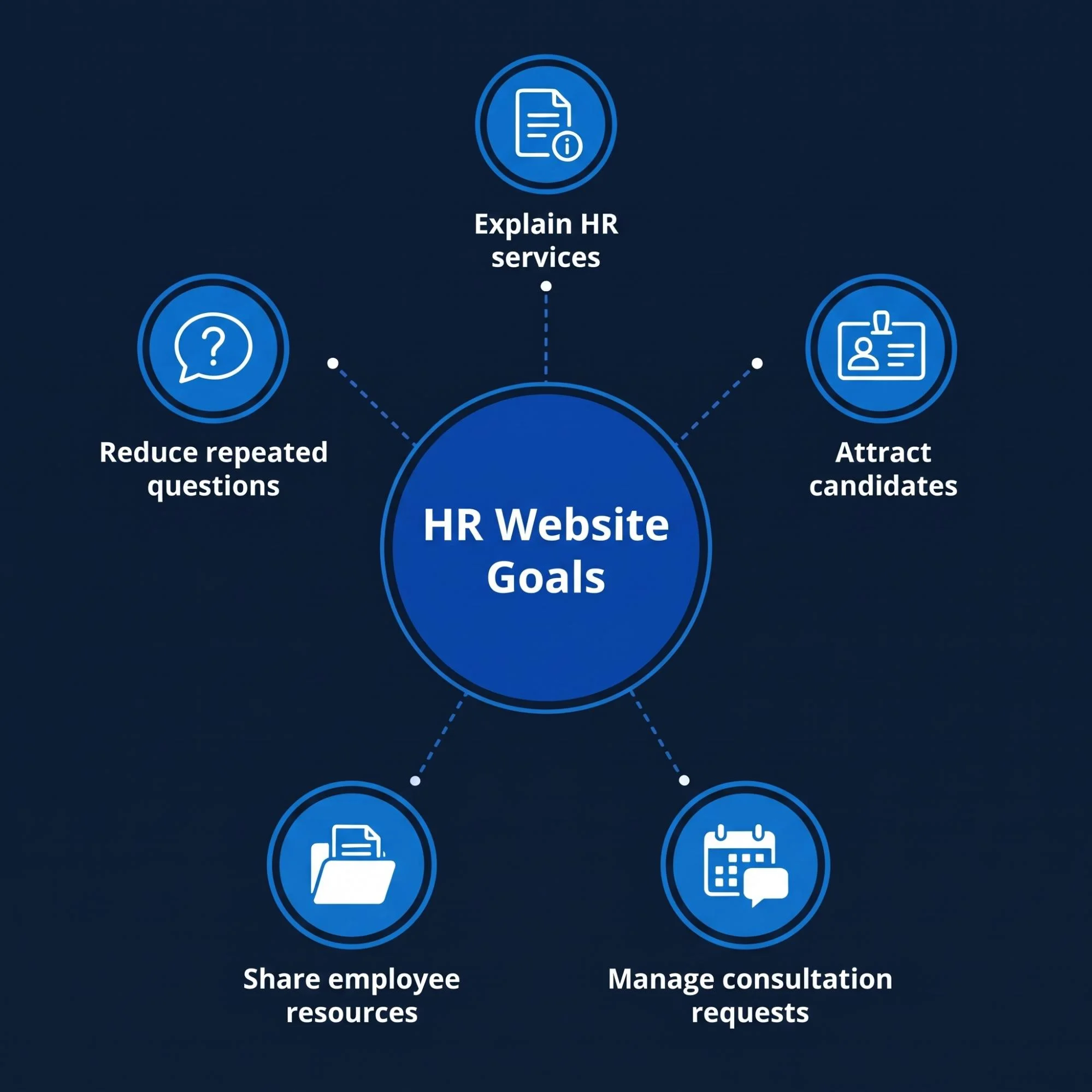
Business Need | Website Function | Outcome to Review |
Explain HR services | Dedicated service pages | Relevant service inquiries |
Attract candidates | Searchable job listings | Completed applications |
Manage consultation requests | Booking or inquiry form | Valid meeting requests |
Share employee resources | Private document area | Access to current documents |
Reduce repeated questions | Help pages and site search | Successful self-service tasks |
Before development starts, agree on what goes into the first version. Put anything optional on a separate list you can come back to later.
2. Identify the People Using Your HR Website
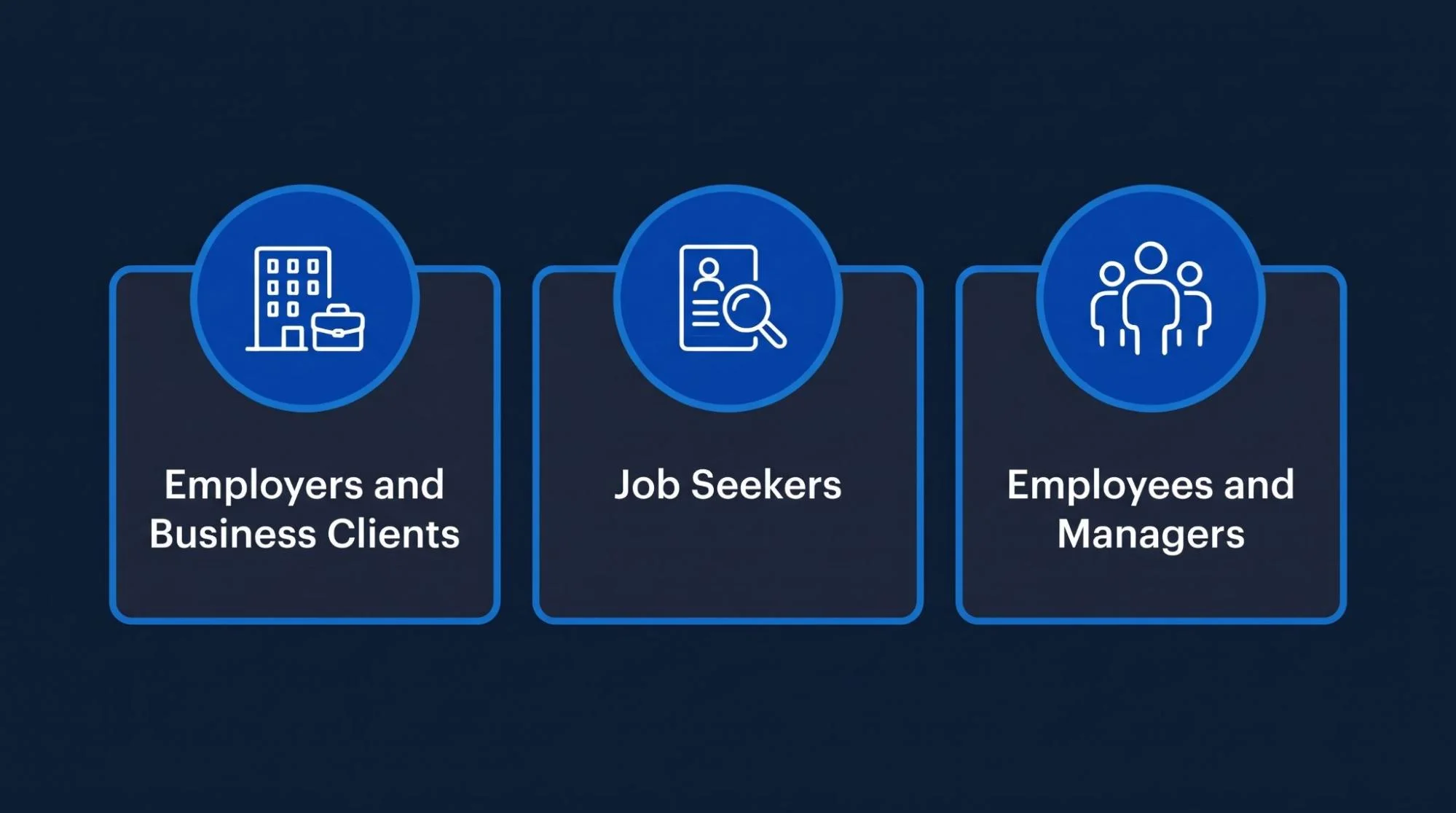
An employer might come to you for help with hiring or workforce planning. A candidate is looking for a vacancy that fits. An employee may only need a policy document or a request form.
Think about what brings each group to the site. Then give them a clear route to what they need.
Employers and Business Clients
Tell employers what you do and which businesses you work with.
Show them how to reach your team if they want to talk.
On each service page, put the next step where they’ll see it.
Job Seekers
Let candidates go straight to vacancies and application details.
Walk them through the process so they know what information to get ready.
Tell them what happens once they send in their application.
Employees and Managers
If you need an internal portal, write down what each group has to do there.
Employees might send in requests and managers might review them.
Administrators may need to look after accounts and the resources published in the portal.
Use those tasks to decide how the navigation should work, who gets access to what and what the team needs to build.
3. Plan Your Human Resources Website Structure
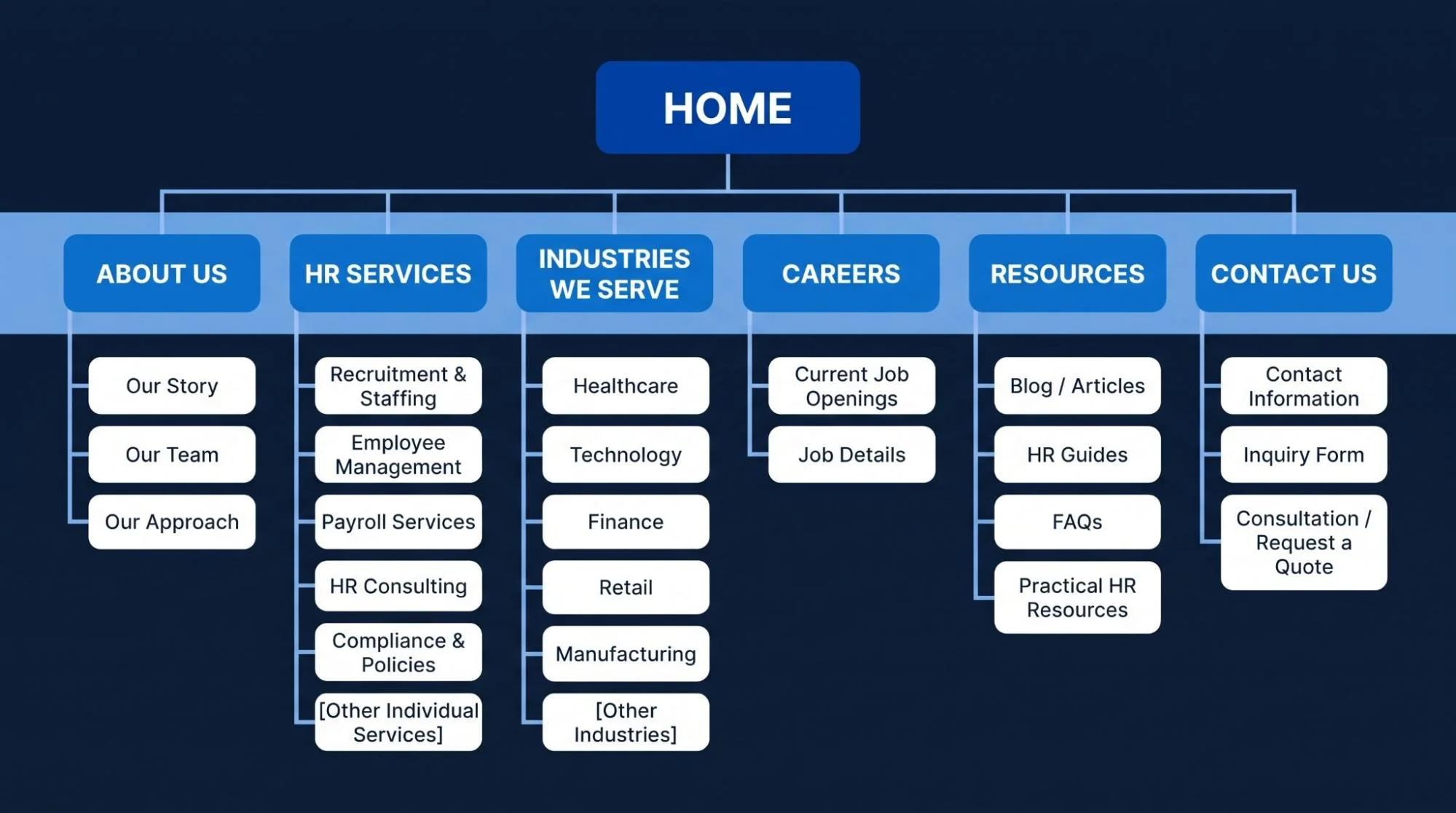
Draw up a sitemap before you start laying out pages. It shows which pages you need and how people can move between them.
For a public HR business website, that might look like this.
Home
Tell visitors what your business does and point them to the main sections.About Us
Give people some background on the business. Introduce your team and explain how you work.HR Services
Show the main types of services you offer so visitors can pick the one they need.Individual Service Pages
Give each service its own page with room to explain what it involves.Industries We Serve
Show where you have experience that’s relevant to the visitor’s industry.Careers or Job Listings
Give people a place to see the opportunities you have open now.Resources
Put articles and guides here along with practical answers people can use.Contact Us
Share your contact details and show visitors how they can send an inquiry.
If you have approved case studies, add them. A client or employee login belongs on the site only if there are private functions people need to use.
Stick with familiar page names. People should know what they’ll find before they click.
4. Define the Scope Before Custom HR Website Development
A page list only tells the team part of what they’ll build. The development scope spells out the work that needs to happen on those pages and behind them.
Write down the forms and user roles along with any integrations or administrative controls. For each feature, say what information it needs and what it should do with it.
Take the application form. Write down these details before anyone builds it.
Form fields
Mark what applicants have to fill in and what they can leave blank.Resume formats
List the file formats applicants can use.Upload size
Set the maximum size for a file upload.Submission storage
Say where completed applications will be stored.Notifications
Name who gets notified when an application comes in.What applicants see
Describe what appears on screen after they submit the form.
What if the file won’t upload? Decide what should happen then and what the site should do if an email can’t be delivered.
With those decisions written down, the team can give you a more useful estimate. There’s also less to figure out once the build is underway.
5. Choose a Suitable HR Website Development Platform
Get clear on what the site has to do before you pick a platform.
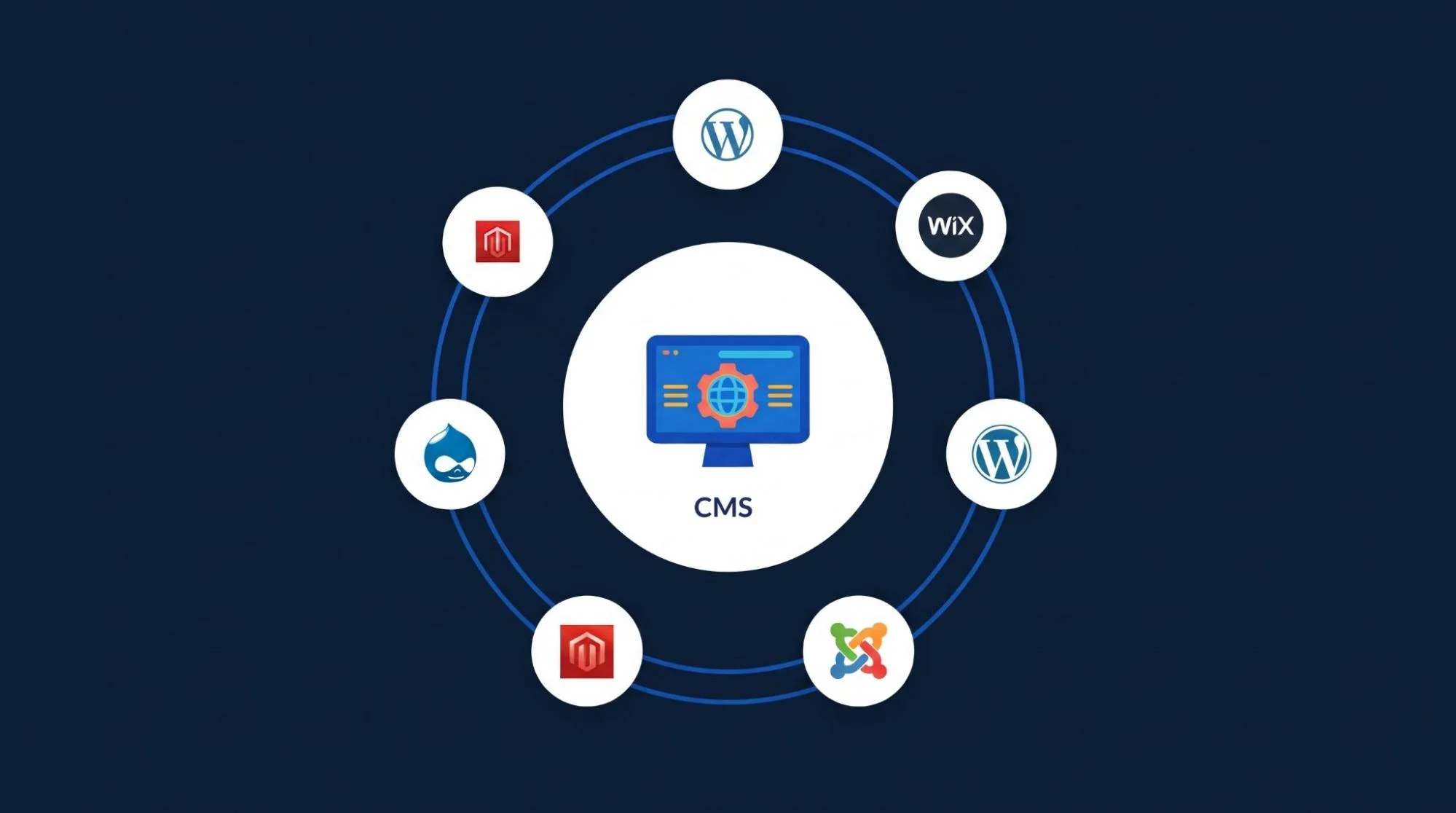
A content management system, or CMS, lets your team edit website content. It can work well for an HR consultancy website that needs service pages and articles along with inquiry forms.
Complex dashboards or internal workflows may call for custom application development. You could also connect the public website to a recruitment or employee management system you already use.
Ask these questions as you compare platforms.
Content updates
Can your team make its own edits?Required features
Does the platform support the functions you’ve listed?Software connections
Can it connect to the tools you already use?Maintenance
Who’ll look after it once it’s running?Ongoing costs
What will you need to keep paying for after the build?Exports
Can your business export both its content and its records?
Pick something your business can keep up with. Look at what it costs to own and run as well as what you’ll pay to build it.
6. Create Clear HR Website Design and Navigation
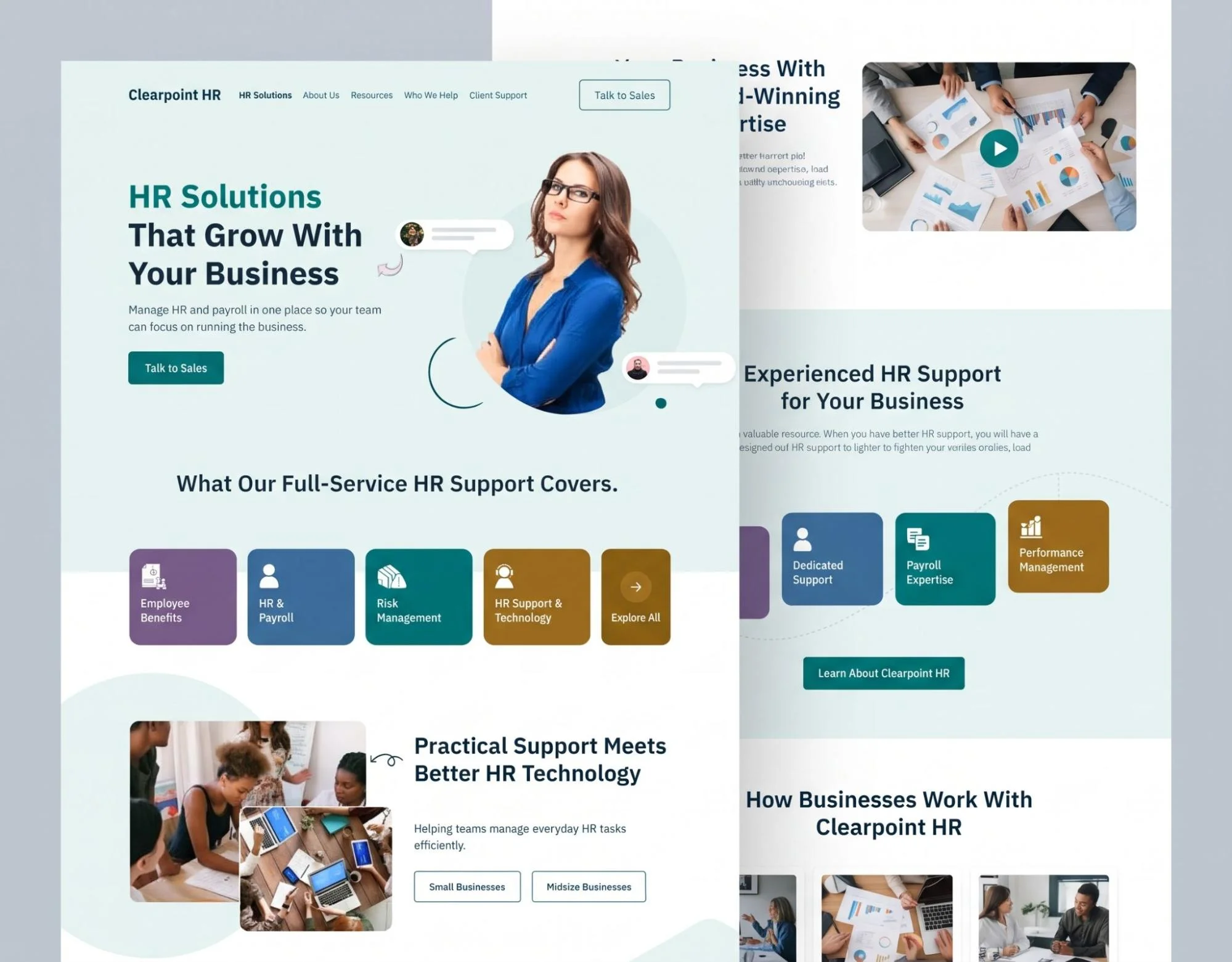
People should be able to tell what your business does and get on with what they came to do. Let that guide the visual design.
Keep the colors consistent and pick fonts people can read easily. Make it clear which text is a heading and which is there to explain it. Buttons should be easy to spot. Give sections enough space so people can scan the page.
On the homepage, tell visitors what you offer and who you work with. Then give them somewhere useful to go.
Say exactly what a click does. “Explore HR Services” works for browsing. Use “View Open Positions” for vacancies or “Book a Consultation” for a booking.
Too many calls to action in one spot compete for attention. Pick the next step that makes sense for the page.
7. Build Front-End Pages That Work Across Devices
Front-end development takes the approved layouts and builds the pages people will actually use. It’s the part of the site visitors see and interact with.
Responsive HR website development has to cover phones and tablets as well as desktop screens. At each size, people still need to use the navigation, fill out forms and browse job listings.
Check how those pages behave.
Text
Can people read it without zooming?Buttons
Make sure they’re easy to tap.Forms
Check that they fit on smaller screens.Menus
Open and close them to see if they work as expected.Images
Check that important details stay visible when images resize.Tables and dashboards
Make sure people can still understand what’s on screen.
Use real content while you build. A short sample heading might fit just fine. Try a longer job title and see what happens.
8. Develop the Back End and Data Structure
Back-end development takes care of what happens behind the pages. It might save an inquiry or update a vacancy. It can also check permissions and give authorized users access to records.
Work out how to organize the information before you build the database. For job listings, you might need a field for the department and another for location. Employment type and closing date may need their own fields too.
Decide how staff should enter values and keep them consistent. If people enter one location several different ways, the search filters can get confusing.
Think about what staff need to do in the administrative area. They should be able to update records themselves without touching the code.
A recruiter, for instance, needs a clear way to post a vacancy and edit it later. They’ll need to close it too. If someone changes roles, an administrator should be able to review what their account can access.
9. Build Useful HR Service Pages
In HR consultancy website development, give each main service enough space to explain what clients can expect.
Put yourself in the reader’s place. Can they find these answers on the page?
What’s included?
Spell out what the service covers.Who’s it for?
Say who the service is suitable for.What problem does it solve?
Explain what someone might come to you for help with.How does it work?
Walk the reader through the process.What’s next?
Show potential clients what to do if they want to move forward.
Talk about the work your business actually does. A description of what’s involved gives readers more than another claim about quality.
Link to a related page when it helps someone take the next step. A recruitment service page might point employers to an inquiry form. An employee management service page might explain which systems are involved.
10. Add Recruitment Website Development Features
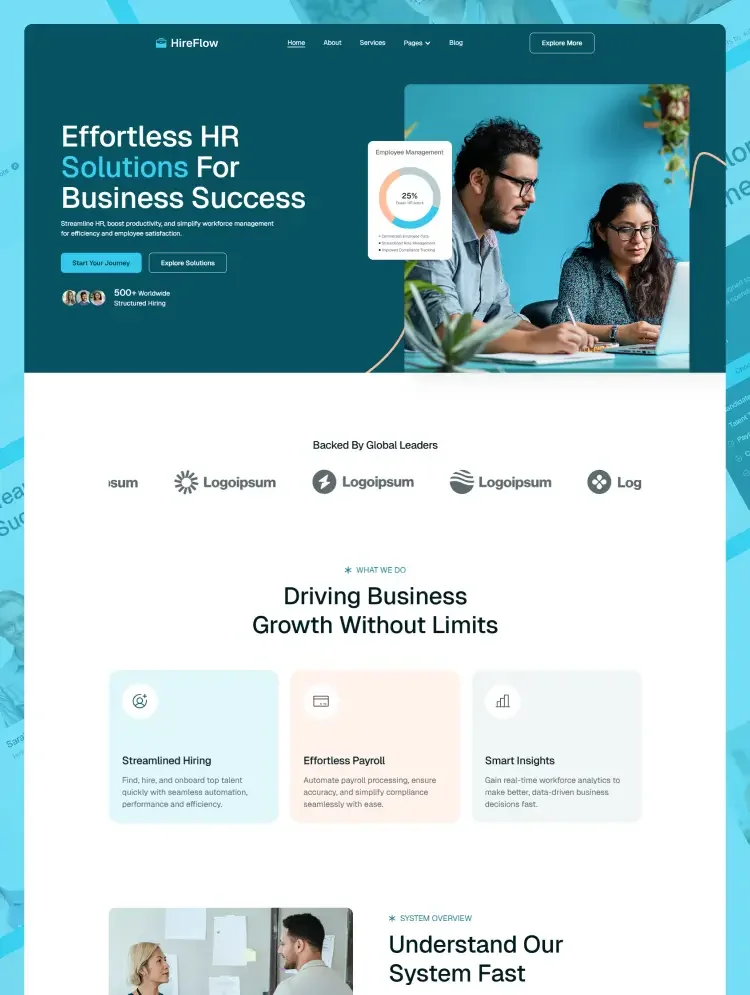
Decide how jobs will be published and what happens when someone applies. Think through what recruiters will do on their side and what candidates will see.
Searchable Job Listings
Give each vacancy its own page with the title and location.
Explain the responsibilities and requirements. Tell candidates how to apply.
Use department, employment type or location filters only if they help narrow down the roles you have.
If there are no matches, tell people and make the filters easy to clear.
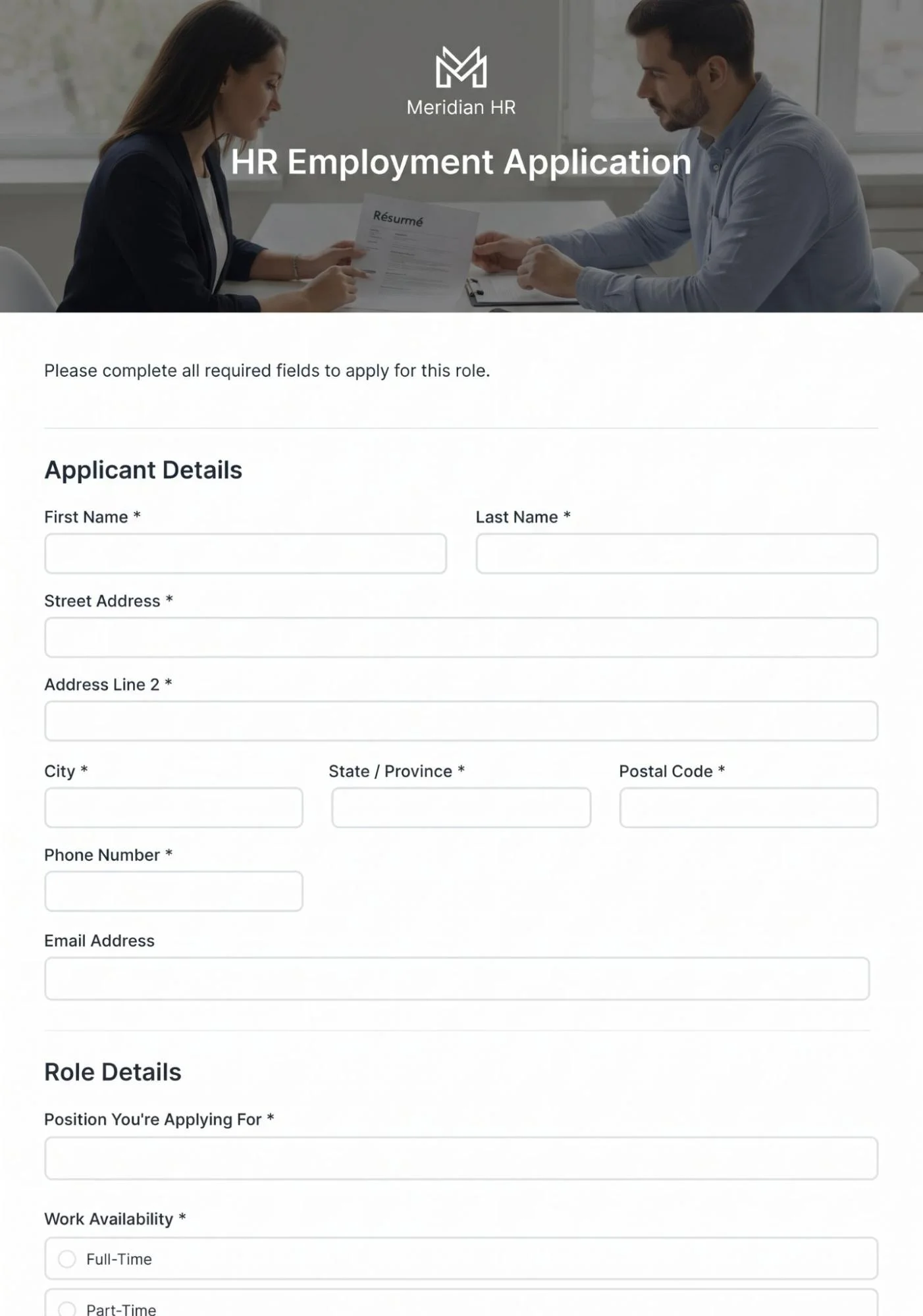
Online Application Forms
Ask for what you need at this stage. Only ask for the same information again if there’s a clear reason.
Put upload instructions next to the file field. If something goes wrong, explain the error in plain words.
Keep the details people have already entered where you can.
Confirm that the form went through and tell applicants what’s next. Only give a response time your team can meet.
Vacancy Management
Let recruiters manage job status and set closing dates.
Decide what happens when a job expires. Take it down, leave it marked closed or redirect people to current openings.
Run through the whole process to check that a draft can go live and then close correctly.
11. Plan Employee Portal Development Separately
People use an employee portal for different reasons than they use your public website. Give the portal its own part of the project plan.
Employee self-service features might include the following.
Policies and documents
Let staff open the policies and documents approved for them to use.Personal information updates
Give employees a way to ask for changes to their details.Leave requests
Provide a form employees can use to request time off.Onboarding checklists
Give employees a checklist to follow during onboarding.Company announcements
Put company updates where employees can find them.Existing HR systems
Link to the HR tools your team already uses.
Set permissions for employees and managers as well as administrators. Each person should only see the information they need for their role.
Work out approvals before development starts. An employee might submit a leave request for a manager to review. The status then needs to reflect what happens.
Check if a system you already use does the job. Sometimes a link to that tool makes more sense than building the same function again.
12. Connect Your HR Website With Existing Systems
Integrations let your website pass information to and from other software. Look into those connections early. What’s possible can change the scope of the build.
System | Possible Website Connection |
Applicant Tracking System (ATS) | Publish vacancies or receive applications |
Human Resources Information System (HRIS) | Support selected employee functions |
Customer Relationship Management (CRM) | Receive and organize business inquiries |
Scheduling software | Manage consultation or interview bookings |
Email platform | Deliver confirmations and team notifications |
Find out what the software provider supports. You may be able to connect through an application programming interface, or API. Some providers offer an approved embed or a hosted page instead.
Pick which system keeps the main record. Decide what happens if a submission comes through twice or a transfer fails.
If a connection stops working, your team needs to be able to spot it. Otherwise, information can go missing before anyone realizes there’s a problem.
13. Build Accessibility Into Your HR Website
Start thinking about accessibility during planning. Carry it through the design and the build.
Use heading levels that make the page easy to follow. Give fields labels that say what goes in them. Check that someone can get through the menu and fill out a form using only a keyboard.
Look at the contrast of the text. When someone tabs through the page, they should be able to see where the keyboard focus is. If there’s an error or a status change, use more than color to show it.
Pay close attention to application forms. When a detail is missing, say what it is and show applicants where to put it.
Refer to the Web Content Accessibility Guidelines, or WCAG, when you review the site. Run automated checks and try the important tasks by hand too.
14. Plan HR Website Security and Data Handling
Before building a form, decide what information you need from the person filling it in. Ask only for what’s required to do that job.
Keep private records separate from public content. Every request for protected information needs a permissions check.
Plan how you’ll protect accounts and handle file uploads. Cover software updates and backups too. Give administrative users access controls that fit their roles.
Decide who can open submissions and how long you’ll keep them. Set up a way to remove records when you no longer need them.
For sensitive employee functions, look at whether the data belongs in the HR platform you already use. Make another copy only if there’s a clear business reason.
15. Improve HR Website Speed and Performance
How well the site runs affects how easy it is to use. Check performance while the pages are still being built.
Before you publish images, resize and compress them. Take out features you don’t use and skip scripts the page doesn’t need.
Watch what happens to job search pages and dashboards as you add more records. They can get slower as the data builds up.
Show results in manageable batches. Run through the main tasks with the kind of content and volume of records you expect the site to handle.
Try it on mobile devices and desktop computers. The homepage might load quickly while the application process still feels slow.
16. Include SEO in Human Resources Website Development
Search engine optimization starts with giving each page a clear topic and putting something useful on it.
Set up a page for each main service. Give it a title that describes the service and a main heading readers can understand. Use a URL that reflects what the page is for.
Work in keyword variations where they fit the subject. For example:
Human resources website development.
Use it on a page about building a human resources website.HR website design and development.
It fits content that covers both the design and the build.HR consultancy website development.
Use it where the page deals with sites for consultancies.Recruitment agency website development.
It fits a page focused on building websites for recruitment agencies.Employee portal development.
Use it when the page explains the work involved in building a portal.Employee management system development.
Save it for content that deals with building an employee management system.
Pick phrases that match what you’re explaining. There’s no need to put the whole list on each page.
For technical SEO, add internal links and an XML sitemap. Check for broken pages and make sure search engines can reach the public content that matters.
Require authentication for private areas. Search visibility settings can’t control who’s allowed to open a protected page.
17. Test the Complete HR Website Before Launch
Try the things people will come to the site to do. Follow each one all the way through.
Send an inquiry. Did it reach the right team? Publish a vacancy and apply for it. Sign in under each user role to see whether the permissions work as planned.
Try the steps that can go wrong too. Upload an unsupported file or leave a required field empty. Run a search that brings up no results.
Include these checks in your launch review.
Navigation and internal links
Follow the menus and page links to check where they take you.Form submissions and notifications
Send test entries and see where the notifications go.Mobile layouts
Open the site on a phone and work through the pages people need.Keyboard access
Move through the site using the keyboard.Job search and filters
Search the listings and check what the filters return.Account access and permissions
See what each user role can open and do.Integration failures
Check what happens when a connection fails.Backup and recovery procedures
Review the steps for making a backup and restoring it.
Ask someone who hasn’t worked on the project to try the site. An instruction that seems obvious to the development team can trip up someone who’s seeing it for the first time.
18. Prepare Content and Move the Website to Launch
Before launch, replace sample content with approved copy and images. Confirm contact details, service information, and application instructions.
If you are replacing an existing website, map important old URLs to their new locations. Plan redirects so visitors can still reach relevant content.
Check the live environment after deployment. Forms, email delivery, and integrations should be tested again using the published website.
Give your team a short handover. Show them how to edit pages, manage vacancies, and report technical problems.
19. Maintain and Improve Your HR Website
Assign ownership for both content and technical maintenance.
Someone should review vacancies and service details. Another person or support team should handle updates, backups, and technical faults.
Track a few useful outcomes. These may include completed inquiries, successful applications, and common form errors.
Use the findings to guide changes. If candidates repeatedly stop at the upload step, investigate that part of the process.
Add features when evidence supports the need. Keep the platform focused on tasks that matter to visitors and staff.
What Affects HR Website Development Cost and Timeline?
The scope has a major effect on both cost and delivery time.
A service website with editable pages needs less development than a platform with accounts, dashboards, and multiple integrations.
Other factors include content preparation, data migration, approval speed, and testing requirements. Custom recruitment workflows also take time to define and verify.
Prepare a feature list before requesting an estimate. Identify essential functions and optional additions.
Ask what the estimate includes. Content entry, hosting, training, maintenance, and integration support may have separate costs.
Common HR Website Development Mistakes to Avoid
Building Features Without a Clear Purpose
A dashboard or chatbot should solve a defined problem. Confirm who will use it and what useful action it supports before adding it.
Making Applications Too Difficult
Long forms can create unnecessary work for candidates. Review every required field and ask whether it belongs at the first stage.
Ignoring Administrative Tasks
Your staff must manage the website after launch. Give them clear controls for editing content, reviewing submissions, and closing vacancies.
Planning Integrations Too Late
A required connection can change the technical approach. Check system capabilities before agreeing on the final scope.
Launching Without a Maintenance Owner
Updates and support need a named owner. Decide who handles problems and how your team will report them.
Ready to Build an HR Website Around Your Business?
Start with your visitors, daily tasks, and existing systems. Use those details to define the pages and functions your website needs.
The Custom Websites provides website design and development services. Share your HR business goals, required features, and integration needs to begin planning a practical development scope.